
This article covers what to do if your Tablo finds no local over-the-air broadcast channels during a channel scan or if it finds local channels but won't play any of them. If your Tablo picks up/plays some channels from your TV antenna but not all, go here.
The example above shows a channel scan where only streaming channels have been found. Any over-the-air channels discovered during the scan would show at the top of the channel list and their assigned channel number (i.e.,11.1 CW) would be indicated.
During the setup of a Tablo DVR, you’ll be prompted to run a channel scan. This tells the Tablo to look for local broadcast channels available to your over-the-air TV antenna, as well as the free internet-based streaming channels included with the 4th Generation device.
If you see the 100+ streaming channels included with Tablo, but zero local broadcast networks like ABC, CBS, NBC and FOX, or Tablo finds these channels but can play none of them, one of these five issues has occurred:
1 – You Don't Have an Over-the-Air TV Antenna
While you don't need to use the specific TV antenna included in the Tablo Total System package, every Tablo device needs an over-the-air TV antenna to receive local broadcast channels.
If you don't already have a TV antenna, research and purchase one that is appropriate for your location. Once you have your TV antenna, find an optimal placement for it. From there, attach the coaxial cable from the TV antenna to the coaxial port on the back of your Tablo device.
2 – Your Over-the-Air TV Antenna Isn’t Connected, or the Connection is Loose
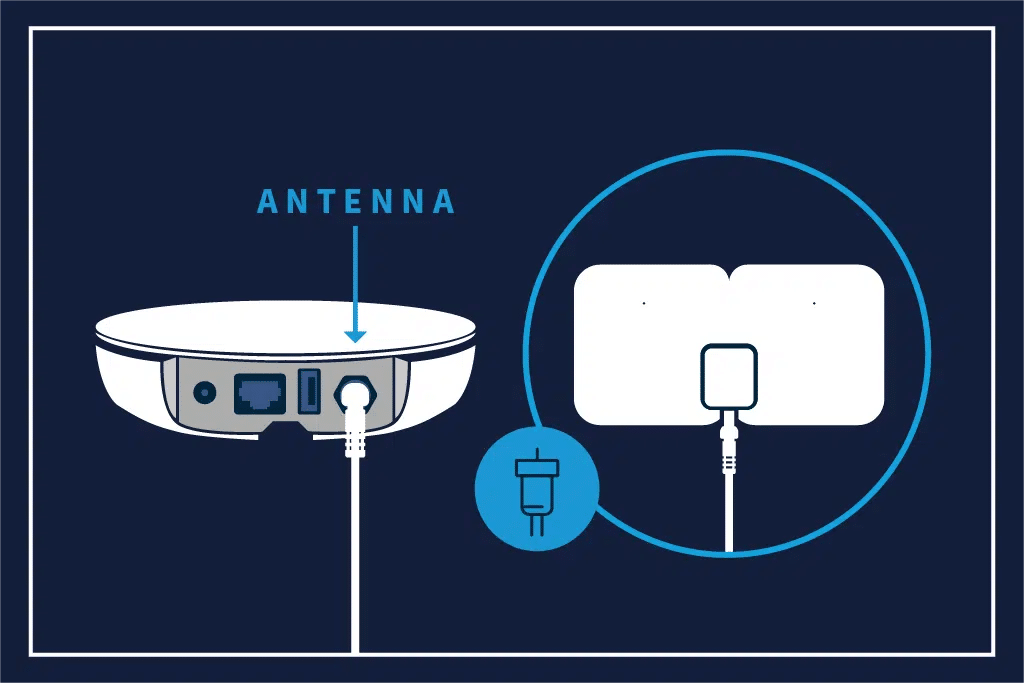
If your TV can receive local broadcast stations directly on your television but not your Tablo, your antenna is likely not physically connected. If the antenna is connected directly to your television, disconnect the coaxial cable from your TV and connect it to your Tablo DVR instead.
If your TV antenna is already connected to your Tablo, make sure the connection is finger-tight. Avoid over-tightening or using tools, as this can damage the coaxial connector.
3 – Your TV Antenna Setup Needs Adjusting
Your TV antenna may not be placed in the optimal location to capture OTA signals. Refer to this article for tips and tricks on how to install it properly.
If your TV antenna is in the best possible location, but your Tablo still isn't picking up any local channels during a scan, consider investing in a more powerful antenna.
4 – Your Area Has No Local Broadcasts
If you live in a valley, mountainous or a very rural area, broadcasts may be physically blocked and unable to reach your TV antenna, or there may be no local broadcasts at all. Consider your local geography and use the tools on our website to check for over-the-air broadcasts in your area before purchasing a Tablo.
Once you’ve determined why your Tablo isn’t picking up local channels and adjusted your TV antenna setup, remember to run and save a new channel scan. This will enable your Tablo to find the local channels available from your TV antenna and add them to your channel lineup.