
The LED on 4th Generation Tablo devices should remain on, as it is an important diagnostic tool.
However, if the best location for your TV antenna and Tablo also happens to be a location where the brightness of an LED could be distracting, like a bedroom, most 4th Generation Tablo apps have an option to dim or switch off the LED.
How To Dim or Switch Off the LED
Go to SETTINGS > GENERAL. There you'll find LED options.
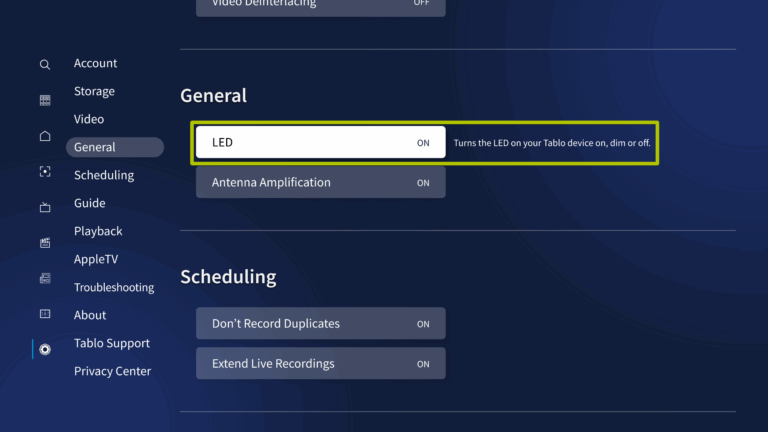
If the LED is bothering you, it's recommended to set it to DIM so you can still be alerted to potential problems with your Tablo device.
You can set it to OFF if needed, but if you run into trouble or the support team requests it, switch it back ON.
The DIM setting is available through all 4th Gen Tablo apps except Android mobile.